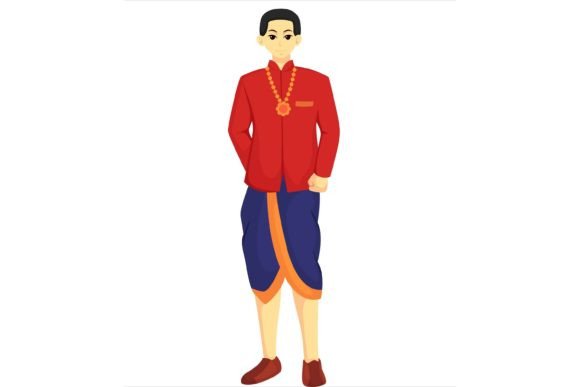
Designing Wedding Magic: The Power of Vector Character Illustrations
There is a specific moment in wedding planning where the theme stops being an abstract idea and starts becoming a visual reality. It usually happens when you find that one perfect image—perhaps a dapper groom leaning against a vintage car or a charming character holding a bouquet—that captures the exact vibe of the celebration. For designers, event planners, and creative entrepreneurs, the challenge is rarely the concept; it is the execution. How do you take that spark of an idea and turn it into a cohesive brand identity across invitations, websites, and merchandise without spending days redrawing elements from scratch?
This is where high-quality design assets become less of a luxury and more of a strategic necessity. Specifically, the Groom Wedding Character Illustration sets we are discussing today are not just clipart; they are comprehensive design systems built on 100% vector architecture. Unlike raster images (like JPEGs or PNGs) that pixelate when you resize them, vector graphics are mathematical formulas. They can be scaled from a tiny lapel pin to a massive venue banner without losing a single pixel of quality. This technical foundation is what allows for true creative freedom, ensuring that the visual integrity of your project remains intact regardless of the application.
The Versatility of Vector: More Than Just Invitations
When you first look at a character illustration pack, it is easy to think strictly about wedding invitations. While that is a primary use case, limiting these assets to stationery is a missed opportunity for anyone serious about visual communication. Because these files are delivered in a format that is fully editable in Adobe Illustrator, you are essentially acquiring a toolkit for an entire brand ecosystem.
Consider the needs of a modern wedding planning business or a boutique event agency. You need a visual language that is consistent yet adaptable. Here is how these vector assets solve real-world design problems across various platforms:
- Brand Identity and Logo Design: A well-drawn groom character can serve as the cornerstone of a logo for a menswear rental shop or a wedding planning service. Because the shapes are well-organized and editable, you can tweak the character’s outfit, hair color, or accessories to match a specific brand palette, creating a mascot that is instantly recognizable.
- Merchandise and Physical Products: The market for wedding merchandise is booming. Think of groomsmen gifts, custom mugs, or tote bags. High-resolution vector files ensure that when you send these designs to a printer, the lines are crisp and the colors are accurate, regardless of the printing method used.
- Digital Marketing and Social Media: In the age of Instagram and Pinterest, visual consistency is king. You can use elements from the illustration set to create engaging stories, highlight covers, or blog headers. The ability to edit colors means you can create seasonal variations—perhaps a summer groom in light linens or a winter groom in a dark tuxedo—without needing to commission new artwork.
- Packaging and Editorial Layouts: For those creating wedding magazines, blogs, or physical packaging for wedding favors, these illustrations add a layer of whimsy and professionalism. They break up text-heavy layouts and guide the reader’s eye, improving the overall readability and engagement of the content.
Practical Workflow: Integrating Illustrations into Your Design Process
For the designer or entrepreneur, time is a finite resource. The true value of a premium asset lies in how much time it saves during the production phase. When you download a well-organized vector file, you are bypassing the most labor-intensive part of the design process: the initial draft and structural construction.
However, to get the most out of these assets, you need to approach them with a strategy. Simply dropping a JPEG preview into your document will result in a blurry, unprofessional look. You need to utilize the native vector capabilities.
First, focus on color harmony. Wedding themes often rely on specific palettes—dusty rose, sage green, or classic navy. Since the RGB color mode objects are fully editable, you should spend time sampling the colors from your client’s mood board and applying them directly to the illustration’s swatches. This ensures the character feels like a native part of the design rather than a stock image pasted on top.
Second, pay attention to layer management. High-quality vector packs usually come with well-organized layers. This allows you to isolate specific elements. Perhaps you only need the groom’s bowtie for a pattern, or maybe you want to remove the background element to fit the character into a specific shaped frame. Understanding how to navigate these layers in Adobe Illustrator transforms the asset from a static picture into a modular design system.
Matching Style to Audience: The Psychology of the Illustration
Not all character designs are created equal, and choosing the right style is crucial for connecting with your target audience. The Groom Wedding Character Design Illustration style you choose communicates a specific tone about the event or the brand it represents.
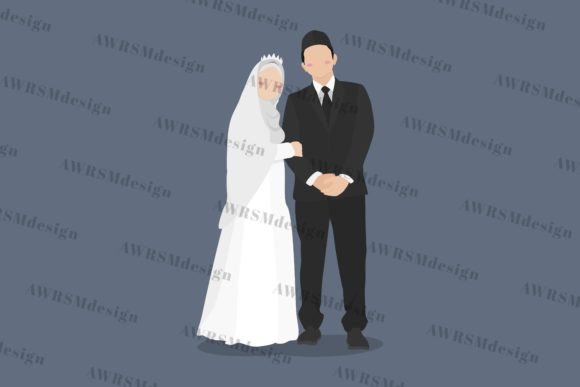
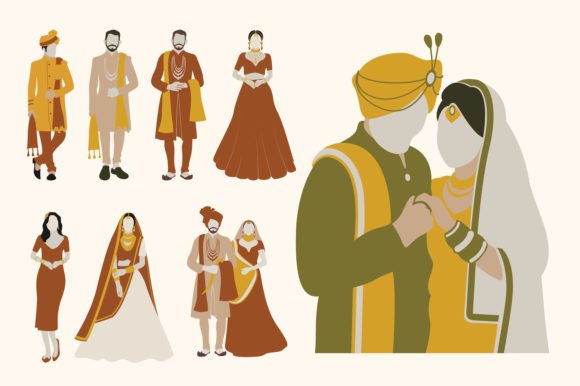
A minimalist, flat-design groom with geometric shapes might appeal to a couple planning a modern, urban wedding or a startup targeting millennial and Gen Z clients. It feels fresh, clean, and digital-friendly. Conversely, an illustration with more texture, shading, and realistic proportions might suit a traditional, high-end editorial layout or a luxury brand identity.
When selecting your assets, consider the personality of the project. Is it playful? Is it serious? Is it vintage? The beauty of editable vectors is that you can bridge the gap between the asset’s original style and your project’s needs. You can soften hard edges, adjust line weights, or even combine elements from different poses to create a unique character that perfectly encapsulates the "groom" persona you are trying to build.
Ensuring Professional Presentation and Readability
One of the most common pitfalls in using illustrated assets is the clash between the image and the typography. This is where the concept of font pairing becomes critical. If you are using a bold, character-heavy illustration, you generally want to pair it with a clean, legible typeface. A busy illustration combined with a highly decorative script font can create visual noise, making the message impossible to read.
Conversely, if the illustration is simple and line-art based, you might have more room to play with a serif font or a handwritten script to add elegance. The goal is visual hierarchy. The illustration should support the text, not fight with it.
Furthermore, consider the context of the viewing. If the design is for a mobile-responsive website, the details of the groom illustration need to be clear even at small sizes. This is where the "high-resolution" and "well-organized shapes" aspect of vector design shines. You can simplify the vector nodes or thicken strokes to ensure the character remains legible on a smartphone screen, maintaining that professional presentation that builds trust with your audience.
The Business Case for Premium Assets
For small business owners and freelancers, there is often a temptation to use free, low-quality resources found on generic search engines. While this saves money upfront, it often costs more in the long run. Low-resolution files result in printing errors, and poorly organized layers result in hours of wasted billable time trying to separate shapes that should have been distinct.
Investing in a premium font or illustration pack is about scalability. When you have a robust asset library, you can pitch to larger clients, take on more complex projects, and deliver faster turnarounds. It allows you to focus on the creative strategy—how to best represent the groom’s character—rather than the technical grunt work of drawing basic shapes.
Ultimately, a Groom Wedding Character Illustration is more than just a drawing of a man in a suit. It is a storytelling tool. Whether you are designing a wedding website, creating a series of social media posts for a bridal boutique, or packaging a new line of groomsmen gifts, these vectors provide the flexibility and quality required to tell that story with clarity, consistency, and charm. By leveraging the editable nature of these files and integrating them thoughtfully into your broader design strategy, you elevate the final product from a simple graphic to a memorable piece of visual communication.